Schedule a Dive

If you are diving a number of times under one Project, you must schedule the dive within the system, in advance to diving. Note that currency/check-dives are not required to be scheduled, as long as there is an approved Dive Plan that you are operating under.

To schedule a dive to an already approved project, complete the following steps.

  1. Select “Diving” from the left side menu. 
  2. Expand the selection and choose “Dive schedule”.
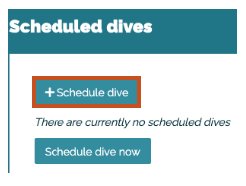
  3. Select “+Schedule dive”.
    Screenshot of Bloops system showing the button to schedule a dive
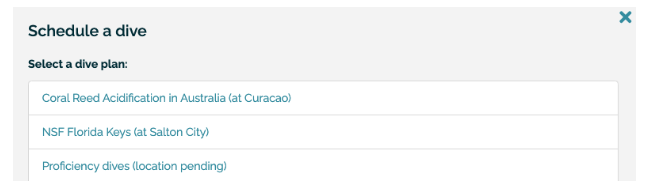
  4. Select from the list of Dive Plans
    Screenshot of Bloops showing list of dive plans to select from
  5. Enter the date, start time and add divers. Select “Schedule” when all fields are populated.
    Screenshot of Bloop system showing fields to add date state time and divers

Office for Research Protections

Address

200 Innovation Blvd.
Suite 110
University Park, PA 16802

The Office for Research Protections (ORP) ensures that research at the University is conducted in accordance with federal, state, and local regulations and guidelines that protect human participants, animals, students, and personnel involved with research.

Contact

Phone: (814) 865-1775

Email: orp@psu.edu